Professional Photography Software

Complete Software for your Photography Business.

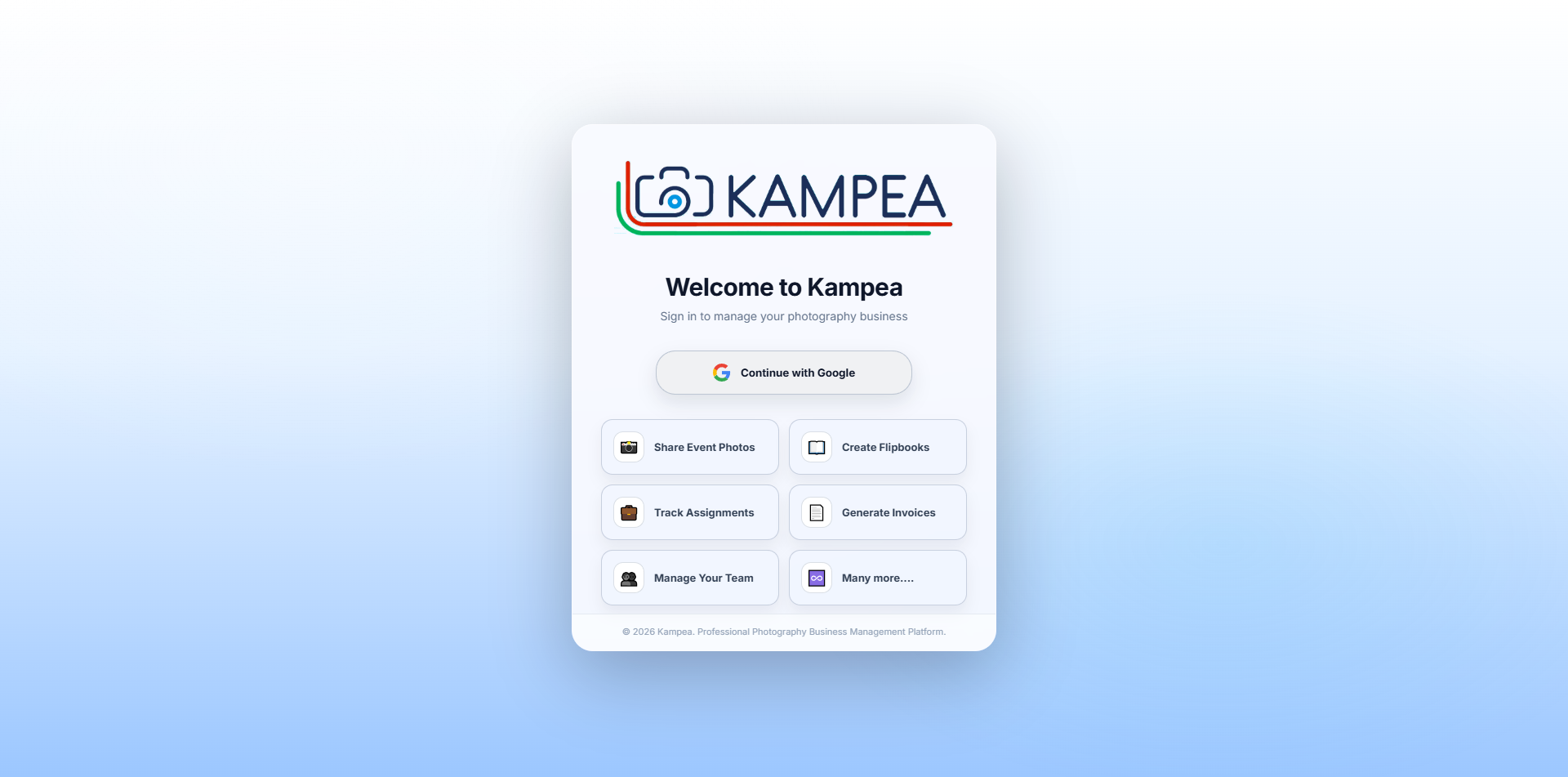
KAMPEA® is a professional desktop software for photography studios. Share event photos with clients, create digital albums, manage assignments, generate invoices, and run your team — all from one app.

Free to download · Windows 10 / 11 · Subscription required for full access

KAMPEA Desktop App
Kampea app
📸
Client Photo SharingShare galleries instantly
✓ Done Event Delivered
About KAMPEA

What is KAMPEA?

KAMPEA is a Windows desktop app built specifically for photography studios and professional photographers. It brings together everything you need to run your photography business — in one place, without juggling multiple tools.

📸

What does KAMPEA do?

KAMPEA lets you upload event photos and share them privately with clients. Clients view and select photos from any device without creating an account. After selection, KAMPEA sorts your RAW files in one click. You can also create E-Album photobooks, manage assignments, generate invoices, and manage your team — all from one app.

⚙️

How does it work?

You install KAMPEA on your Windows PC and sign in with your Google account. When you upload photos, they go directly into your Google Drive — KAMPEA just manages the workflow on top. Clients get a private link with an Event ID and PIN to access their gallery. No app needed on their side. Everything runs from your desktop.

🟢

Where is data stored?

Photos & albums → stored in your own Google Drive. RAW files → stay on your PC, never uploaded. Event info, client selections, invoices, assignments → stored securely on KAMPEA's server. Your photos never pass through KAMPEA's servers at any point.

👤

Who is it for?

KAMPEA is built for wedding photographers, portrait photographers, and event photography studios who handle large volumes of photos, work with multiple clients, and want a professional, structured delivery experience — without paying for complicated enterprise software.

Windows
Desktop App
9
Core Features
Google Drive
Your Storage
100%
Studio Focused
A to Z — Complete Workflow

Everything KAMPEA does,
from start to finish.

From the moment you download the app to final delivery — here is exactly what KAMPEA does, how it works, and where your data is stored at every step.

🟢 Your Google Drive
💻 Your PC
☁️ KAMPEA Server
🔐
Step 01
Download &
Sign In
☁️ KAMPEA Server

Install on Windows and sign in with Google. Your Drive connects automatically. KAMPEA never stores your photos or credentials.

EVENT ID
AB3K9M
PIN: 2612
📂
Step 02
Create an
Event
☁️ KAMPEA Server

Add event name and date. KAMPEA auto-generates a unique Event ID + PIN — your client uses these to access their gallery.

Uploading...
247 / 342 photos
🖼️
Step 03
Upload & Share
Photos
🟢 Your Google Drive

KAMPEA compresses, watermarks, and uploads directly to your Drive. Share a private link — client needs only Event ID + PIN. No app needed.

Step 04
Client Photo
Selection
☁️ KAMPEA Server

Client marks each photo SELECTED or REJECTED on any device and submits. You see the progress live. You can unlock re-selection any time.

📁
RAW Files
142 sorted
Step 05
One-Click
RAW Sorting
💻 Your PC

KAMPEA finds the selected RAW files on your PC and moves them to a folder in one click. Nothing is uploaded — stays on your machine.

📖
Step 06
Create E-Album
Photobook
🟢 Your Google Drive

Build a digital flipbook and share via QR code or link — PIN protected. All pages upload to your Drive. Professional presentation every time.

Upcoming
Ongoing
Delivered
📋
Step 07
Assignment
Management
☁️ KAMPEA Server

Track every shoot — Upcoming, Ongoing, Delivered, Completed. Store client info, date, location, services, and team assignments all in one place.

🧾
Step 08
Create
Invoice
☁️ KAMPEA Server

Generate professional invoices with line items, GST, discounts, advance paid, and balance due — right inside the app. No separate billing tool needed.

👤
👤
👤
👥
Step 09
Team
Management
☁️ KAMPEA Server

Add photographers, editors, and assistants. Set day rates, assign them to jobs, and manage your full studio team from one centralized dashboard.

Most important

Your photos always stay in your own Google Drive.
KAMPEA never stores your photos on its own servers.

Download Free
Screenshots

See KAMPEA in action.

A focused desktop app designed for real studio work — not a cluttered generic tool.

App Dashboard & Workflow

Dashboard

Share Event Photos

Upload screenshots from admin panel

E-Album Photobook

Upload screenshots from admin panel

Project Management

Upload screenshots from admin panel

Create Invoice

Upload screenshots from admin panel

Team Management

Upload screenshots from admin panel
Client Experience

How your clients view & select photos

After you share the gallery link, here is exactly what your client sees and can do — from any device, without any app or login.

🔗

Open the link — no login needed

You send your client a link (or they scan a QR code). They open it in any browser on phone, tablet, or computer. No app download, no account, nothing to install.

🔐

Enter Event ID & PIN

The client enters the 6-character Event ID and 4-digit PIN you share with them. The gallery is completely private — nobody else can access it.

🖼️

Browse the full gallery

All photos load in a clean, fast gallery view. The client can browse, zoom in to check details, and view photos organized by folder if you have multiple shoots.

Mark photos — Selected or Rejected

For each photo, the client taps SELECTED or REJECTED. They can change their mind any time before submitting. Selection limits are enforced automatically.

📤

Submit the selection

When done, the client clicks Submit. You get notified instantly. You can unlock the gallery and allow re-selection any time if needed.

⬇️

Guests can download individual photos

Relatives and friends with a guest link can browse and download individual photos directly — no selection required. Perfect for sharing event photos with everyone who attended.

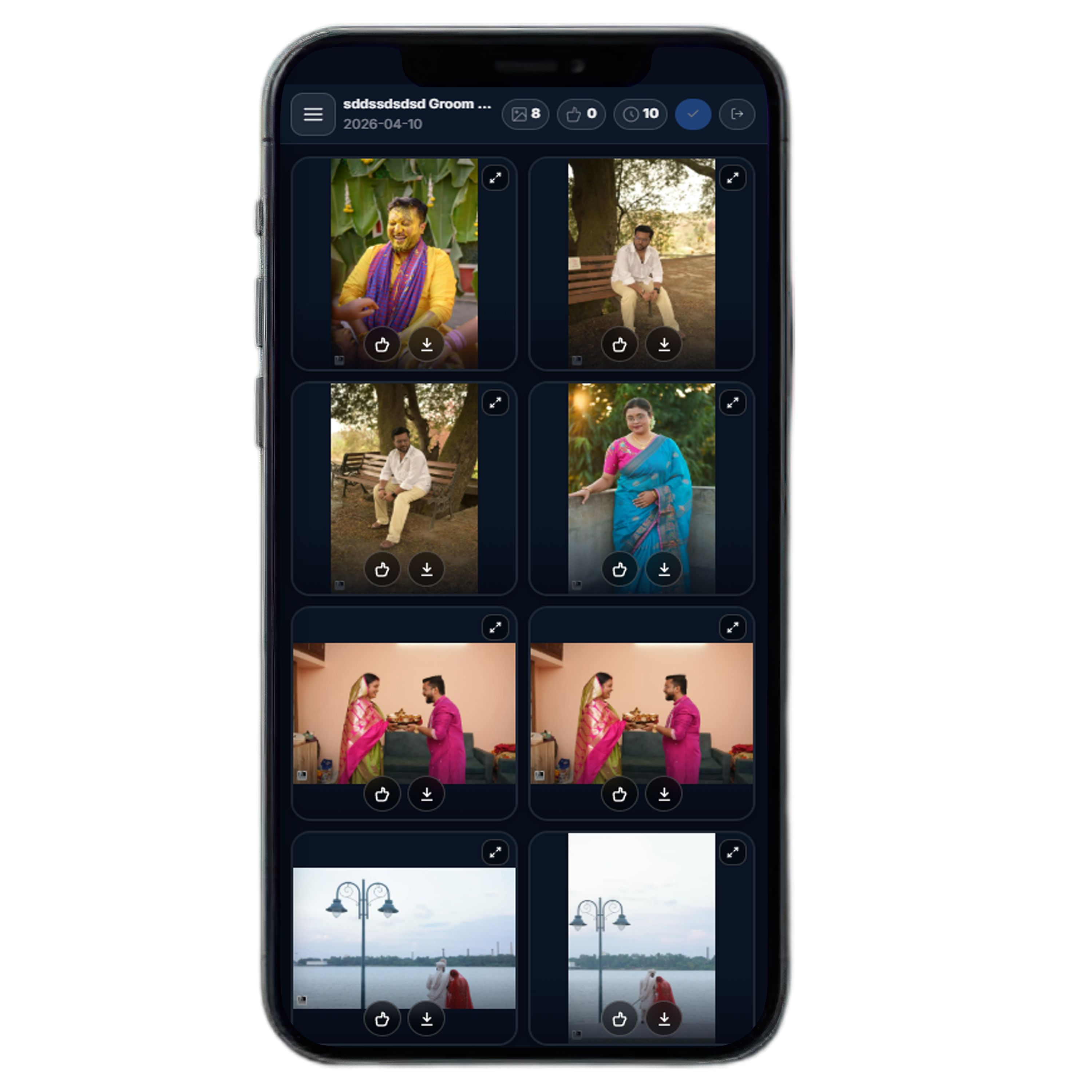
Client gallery view on mobile

Client view on mobile — select, reject, submit

E-Album Photobook

A real photo album — in digital form

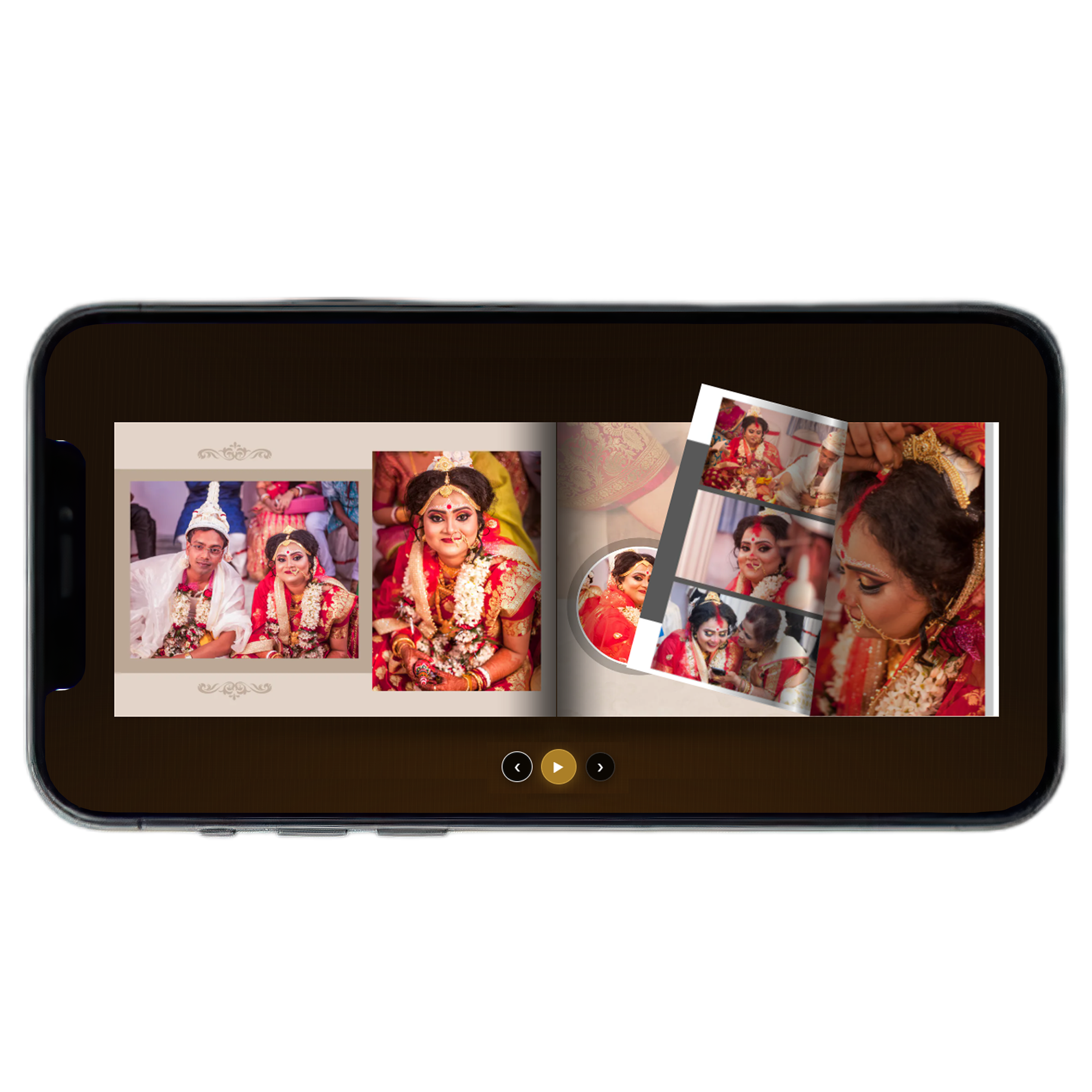
The E-Album is a digital flipbook that looks and feels exactly like a real photo album book. Clients open it on their phone and flip through pages with a swipe — no app needed.

E-Album photobook on tablet
Swipe to turn pages

Mobile landscape view — page spread just like a real album

📱

Opens on any device, in any browser

The client receives a link or scans a QR code. They open it on their phone, tablet, or computer — no app download required. Works on all modern browsers.

👆

Swipe or click to turn pages

On mobile, the client swipes left or right to flip through pages — just like a real album book. On desktop, they click the edges or use arrow keys. The page-turn feels smooth and natural.

🔑

PIN protected — completely private

Every photobook is protected by a 4-digit PIN. Only the person you share the PIN with can open it. You can share the same album with multiple clients — each one still needs the PIN to access it.

🎵

Background music support

Add background music to the photobook so clients enjoy the album with a soundtrack while flipping through pages. A complete, emotional delivery experience.

📲

Share via QR code or link

KAMPEA generates a QR code for every album. Print it on the delivery cover or send it on WhatsApp. The client scans it and the album opens instantly — no typing needed.

Why KAMPEA

KAMPEA vs. doing it manually

See how KAMPEA compares to the way most photographers currently manage their workflow.

Without KAMPEA
With KAMPEA
📤
Photo sharing
Google Drive link — client downloads everything, gets confused about which folder to open
Private gallery link with Event ID + PIN — client sees only their photos, no confusion
Client selection
Client sends file names over WhatsApp or email — back and forth, mistakes happen
Client selects photos directly in the gallery — you see the results instantly, no messages needed
RAW sorting
Manually match file names from client list to RAW folder — takes hours for large events
One click — KAMPEA finds and moves all selected RAW files automatically
📖
Album delivery
PDF or printed album only — no digital version, client has to physically collect it
Digital flipbook via QR code or link — opens on any phone, anytime, anywhere
🧾
Invoice
Excel, Word, or a separate billing app — extra tool, extra login, manual calculations
Generate professional invoices with GST directly inside KAMPEA — no separate tool needed
📋
Assignments
WhatsApp messages, notebook, or memory — easy to miss deadlines or forget client details
All assignments tracked with status, deadline, client info, and team in one place
👥
Team management
Phone calls and spreadsheets — no record of fees, assignments, or who did what
Add team members, set day rates, assign to jobs — full studio management in one app

Download Free & Try It
Pricing

Simple, transparent plans.

Choose the plan that fits your studio. All plans include the core desktop app with Google Drive integration.

Loading plans...

Contact us at support@kampea.in for custom plans, trial access, or bulk studio subscriptions.

Ready to run your studio better?

Download KAMPEA® for Windows and start managing your photography business today.

Download for Windows — Free

Windows 10 / 11 · Subscription required for full access · Secure Google login

FAQ

Common questions.

The app is free to download and install. A subscription is required to unlock all features. You can start with the free 3-day Trial plan before committing to any paid plan.
All photos and album pages are stored in your own Google Drive — not on KAMPEA's servers. KAMPEA uploads photos directly to your Google account. Your RAW files stay on your PC and are never uploaded anywhere.
No. Clients open their gallery using a private link with just an Event ID and PIN. No account, no app download, no login required on their side. They can view and select photos from any phone, tablet, or computer.
KAMPEA is currently available for Windows 10 and Windows 11 only. Mac and mobile versions are not available at this time.
Yes. Download the app and sign in with Google — you get a free 3-day Trial plan automatically. The trial includes 1 event and 1 album so you can test the full workflow before buying.
There is no fixed photo limit per event. You can upload as many photos as you need — the only limit is your Google Drive storage. KAMPEA compresses photos during upload to keep Drive usage manageable.
Yes. When setting up an event, you can define a selection limit. The client will only be able to select up to that number of photos. This is useful when your package includes a fixed number of edited photos.
Your photos remain in your Google Drive and are not affected in any way. Data stored on KAMPEA's server (events, selections, invoices) will remain accessible for a grace period. You can contact support to export your data.
Absolutely. KAMPEA works for any type of event photography — weddings, portraits, corporate events, pre-wedding shoots, product photography, and more. Any studio that shares photos with clients and delivers albums can use it.
No. Every gallery is protected by a unique Event ID and PIN. Only the person who has both can open the gallery. The link alone is not enough — the PIN is required every time.
After a client submits their photo selection, KAMPEA shows you the list of selected file names. You point KAMPEA to the folder on your PC where the RAW files are stored. KAMPEA then finds all matching RAW files and moves them to a separate folder — automatically, in one click.
All subscription purchases are final. We encourage you to use the free Trial plan before buying. Refunds are only considered in cases where a technical error on our end prevented plan activation. Contact support@kampea.in within 7 days of purchase.
Contact

Get in touch.

Questions about KAMPEA? Need help with installation or your subscription? We're ready to help.

📧 Email Support

Send us an email for any questions, support requests, or business inquiries. We respond within one business day.

support@kampea.in

💬 WhatsApp

Quick help during business hours. Best for installation issues or urgent support needs.

+91-8240264265

📍 About KAMPEA

Built and maintained by RKBHM Studios, Kolkata, India. Designed specifically for photography businesses and professional studios.

Email: support@kampea.in  ·  WhatsApp: +91-8240264265  ·  Location: Kolkata, India